 BE VOICE
Calls and messages
See your calls, recordings and transcripts
The Calls tab shows every call to, from and between your phones as it happens. Open any call to see who it was, how long it took, what the AI agent did, and to read the conversation or listen to the recording.
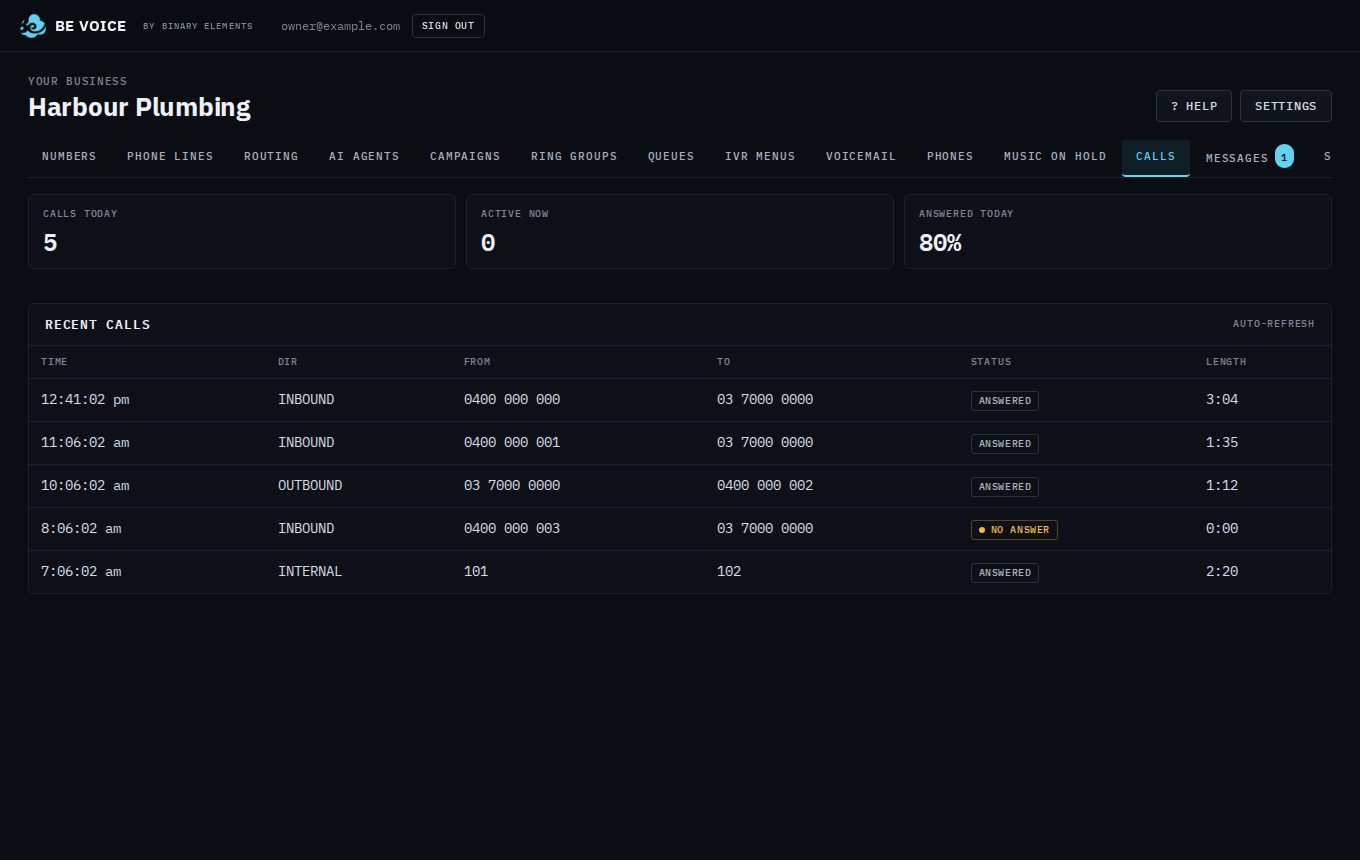
Today at a glance
- Calls today
- How many calls there have been since midnight, in every direction.
- Active now
- Calls in progress right now.
- Answered today
- The share of today's calls that were answered, by a person or by your AI agent.
Recent calls
The table lists your most recent 100 calls, newest first. It refreshes by itself every few seconds, so you can leave it open.
- Time
- When the call started.
- Dir
- INBOUND for calls to your numbers, OUTBOUND for calls your phones or your campaigns made, and INTERNAL for calls between your own extensions.
- From and To
- The phone numbers or extensions at each end.
- Status
- Live while the call is going. After that, Answered for a call that was answered, or No answer, Busy, Didn't connect or Hung up before answer when it didn't connect. Open the call to see why, for example "No answer: nobody answered".
- Length
- How long the call lasted.
How to open a call
- Open Calls.
- Click the call in the Recent calls table.
- Read the details, play the recording, then click Close.
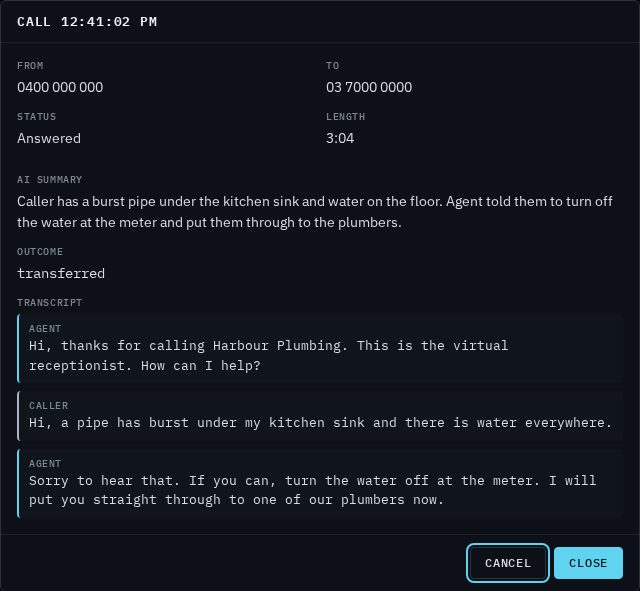
You can also open a call from the Call button on a message in the Messages tab, or by clicking a person in a campaign's results.
What you'll see on a call
- From, To, Status and Length
- Who called whom, how the call ended and how long it took.
- Recording
- A player to listen to the call, and Download WAV to save the audio file. It appears only when the call was recorded.
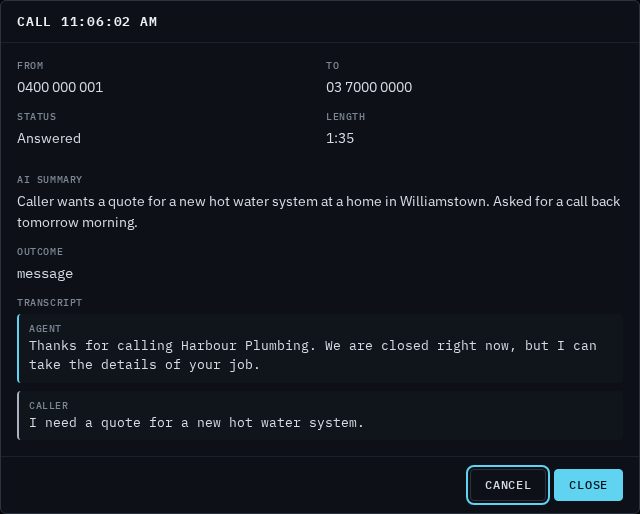
- AI summary
- For calls your AI agent handled: a few sentences on what the caller wanted and what the agent did about it.
- Outcome
- How the AI agent's part of the call ended. For example, transferred means it put the caller through to someone, and message means it took a message for you.
- Result
- For agents whose script lists outcomes (such as campaign agents), the outcome it chose, any details it recorded with it, and its note.
- Message taken
- When the agent took a message, the details it collected. The message also goes to the Messages tab.
- Transcript
- The whole conversation, line by line, marked Agent and Caller.
Recording and transcripts
Calls your AI agent answers always come with a summary and transcript. Whether other calls are recorded and transcribed is up to you, in Settings → Calls:
- Record calls records both sides of your calls, including calls between your phones and calls transferred to an extension.
- Transcribe recorded calls turns each recording into text a few seconds after the call ends, so you can read calls between people too. A call transcribed this way has a transcript but no AI summary or outcome.
- Tell callers the call may be recorded plays a short notice at the start of each call.
Recordings are deleted automatically after a set number of days. You'll find how long they're kept under Settings → Calls. Download any recording you need to keep for longer. See Settings.