 BE VOICE
Your phone system
Choose your music on hold
Callers hear music while they wait in a queue, while they're on hold and while a call is being put through. Pick a track from the BE library or upload your own. The same tab also keeps the recordings your menus and mailboxes play.
How to choose your hold music
- Open Music on hold.
- Under Default hold music, click What callers hear on hold and pick a track. ▶ Play lets you hear the first 30 seconds.
It's saved as soon as you choose, and applies from the next time someone is put on hold.
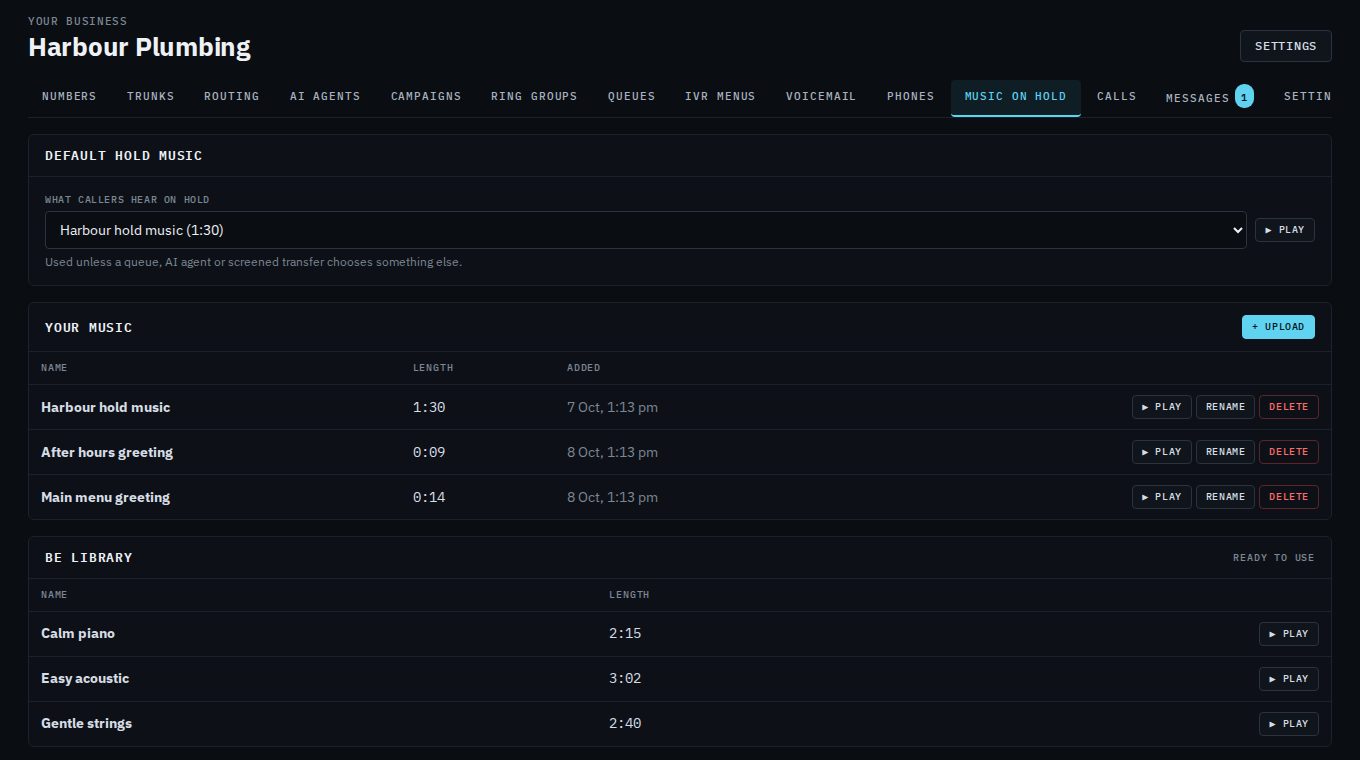
The list has:
- BE library
- Music that's ready to use, included with BE Voice.
- Your music
- Tracks and recordings your business uploaded.
- Silence
- Nothing at all. Callers may think they've been cut off, so use it with care.
- Ringback tone
- The normal ringing sound, as if the call is still ringing.
The first choice in the list, used until you pick something, is the standard hold music BE Voice provides.
How to upload your own music
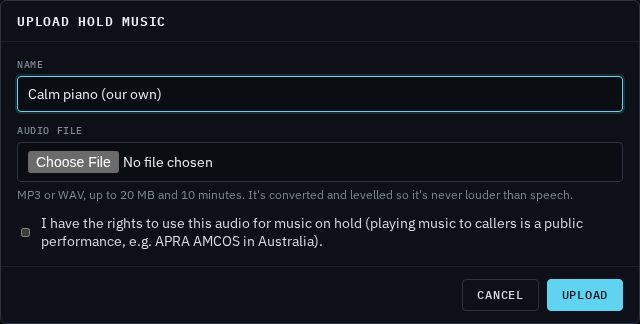
- Open Music on hold → + Upload.
- Give the track a Name.
- Choose the Audio file.
- Tick the box to confirm you have the rights to play it to callers.
- Click Upload. It now appears under Your music, ready to pick.
- File types
- MP3 or WAV, up to 20 MB and 10 minutes long.
- Sound level
- Every upload is converted for phone calls and levelled, so it's never louder than speech. You don't need to adjust it first.
- How many
- Up to 20 tracks and recordings of your own. Rename or delete one to make room.
Different music in different places
Your default hold music plays everywhere unless something more specific chooses its own. From most to least specific:
- A screened transfer made by an AI agent: what the caller hears while the agent checks whether someone can take the call. See Transfers and handing over.
- An AI agent: on the agent's Voice and music tab, under Hold music. See Voice and background sound.
- A queue: Music on hold in the queue's settings, for callers waiting in it. See Queues.
- Your default hold music, on this tab.
Wherever you see a music list, leaving it on its first choice means "use the default".
Recordings for menus and voicemail
The recordings your menus and mailboxes play (your greetings) live here too, under Your music. You can upload them here, or straight from the menu or mailbox window with Upload a recording…. They follow the same rules: MP3 or WAV, up to 20 MB. See Menus and Voicemail.
Renaming and deleting
Rename changes a track's name everywhere it's used. Delete asks first. If the track is in use, for example by a queue, you choose what plays instead wherever it was used, then click Replace and delete.